ByteDance Seed · Released November 9, 2026
Seedream 5.5 AI Image Generator
Describe an image, pick an aspect ratio and resolution, add reference images if you like, and open it in the Auteo image studio. Seedream 5.5 is ByteDance's newest image model, built for realistic photos, clear text and stable edits.
Generate opens the Auteo image studio with your prompt and settings filled in. Nothing is charged until you confirm.
Made with Seedream 5.5
Hover or tap a Seedream 5.5 example to read its prompt, then send it to the generator above.
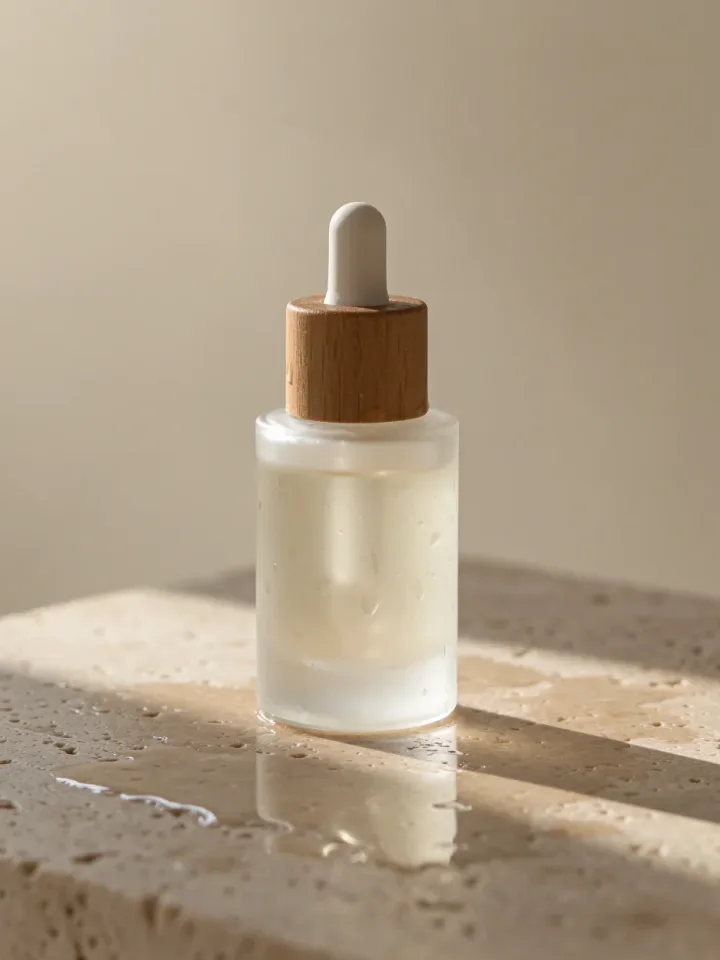
A minimalist skincare product shot: a frosted glass serum bottle with a wooden cap on a wet travertine stone, soft morning light, water droplets, shallow depth of field, clean beige background, commercial photography
Product shots 
A summer music festival poster: bold headline text "SUNSET SOUNDS 2026", a stylized orange sun over palm trees, a guitar silhouette, small line-up text at the bottom, flat graphic design, vibrant colors
Posters 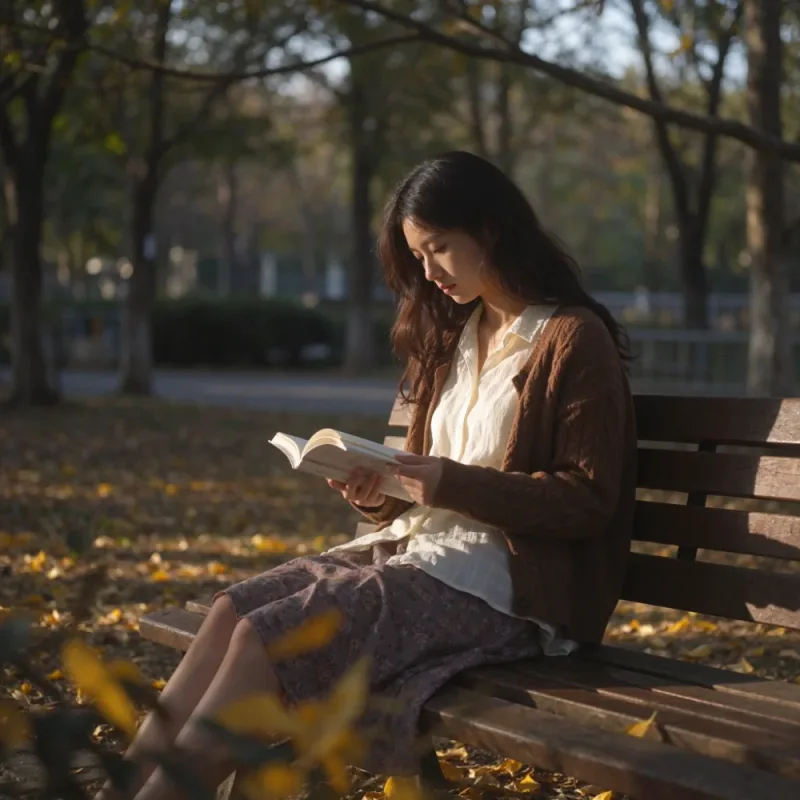
A young woman reading a book on a sunlit park bench in autumn, golden leaves on the ground, soft afternoon light, natural candid photo, photorealistic, shot on 50mm
Portraits 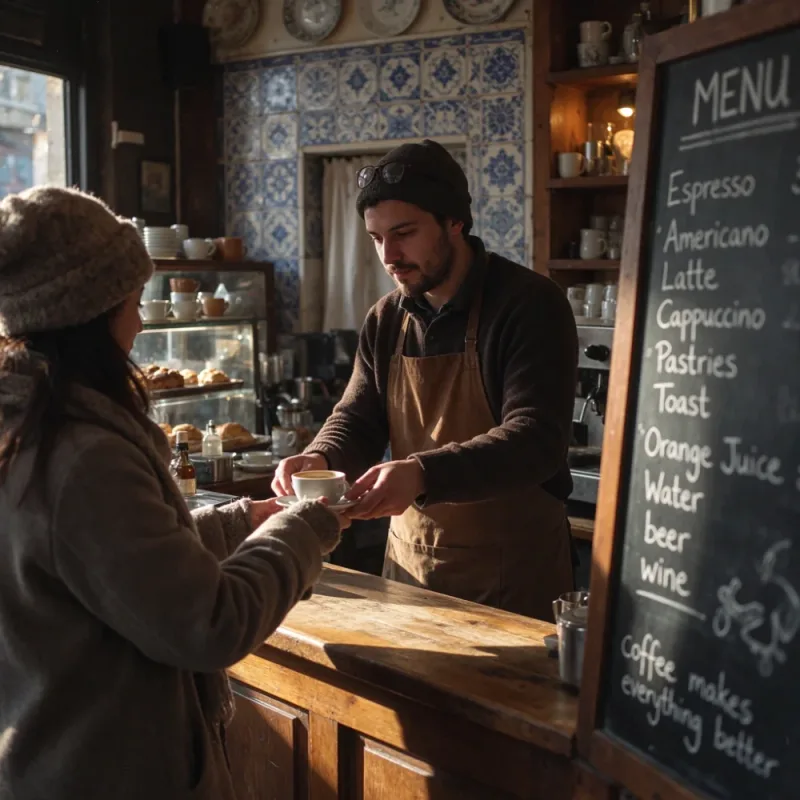
A cozy street-side cafe in Lisbon at golden hour, a barista handing a cup of coffee across the counter, warm natural light, blue azulejo tiles, a chalkboard menu written in English, photorealistic, shot on 35mm
Lifestyle 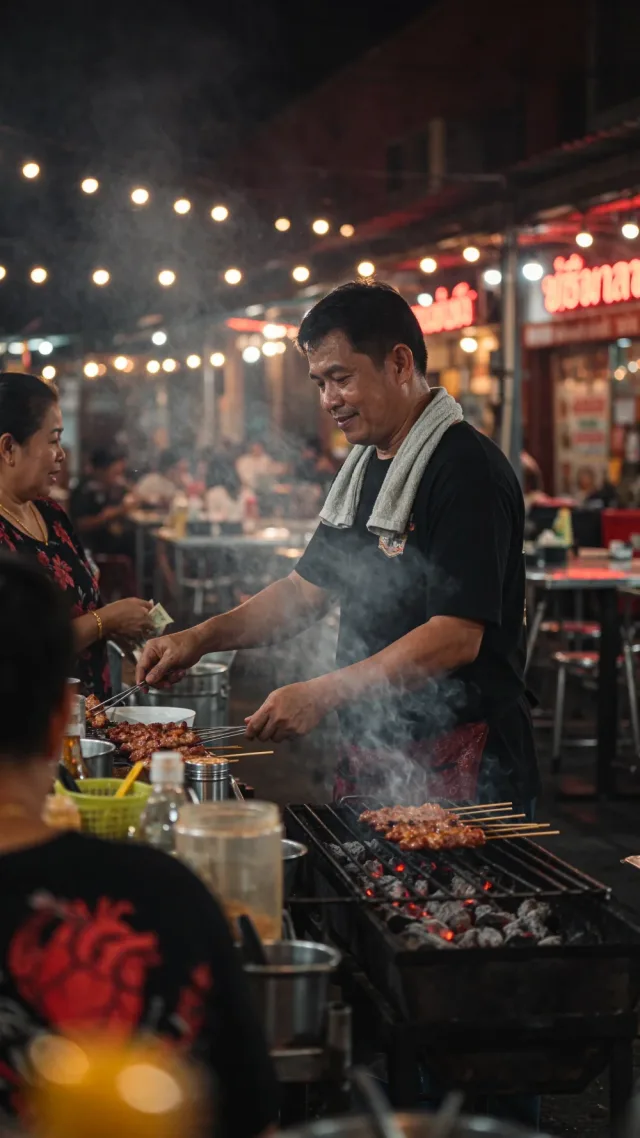
A street food vendor in Bangkok at night grilling skewers, smoke rising, neon signs and string lights behind, candid documentary photo, photorealistic, vertical frame
Night scenes 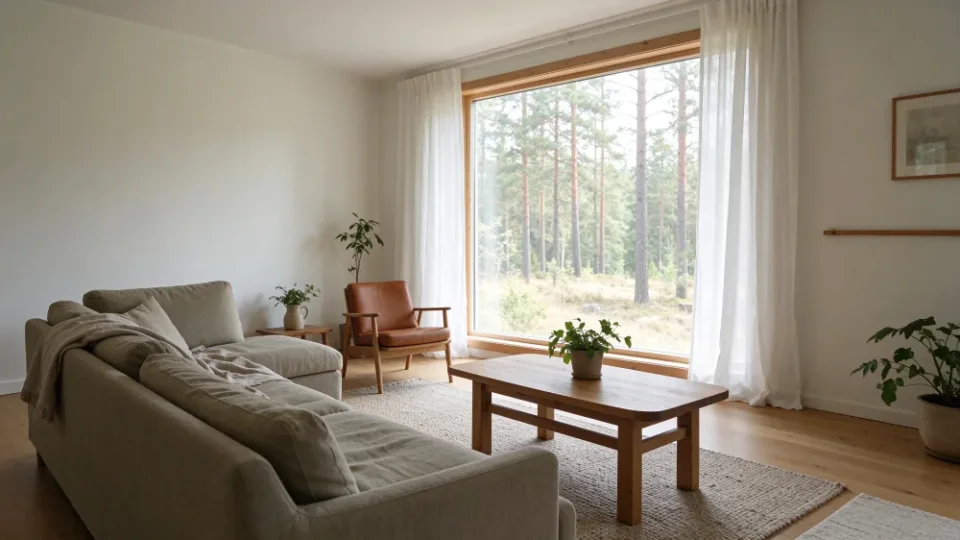
A bright Scandinavian living room interior with a linen sofa, oak floor, large window with a view of pine trees, potted plants, soft daylight, architectural photography, wide angle
Interiors
Seedream 5.5 multi-turn editing: change one thing, keep the rest
Each Seedream 5.5 edit starts from the previous result. Unedited areas stay pixel-for-pixel, with no color shift, so a room, a product or a face survives many rounds.
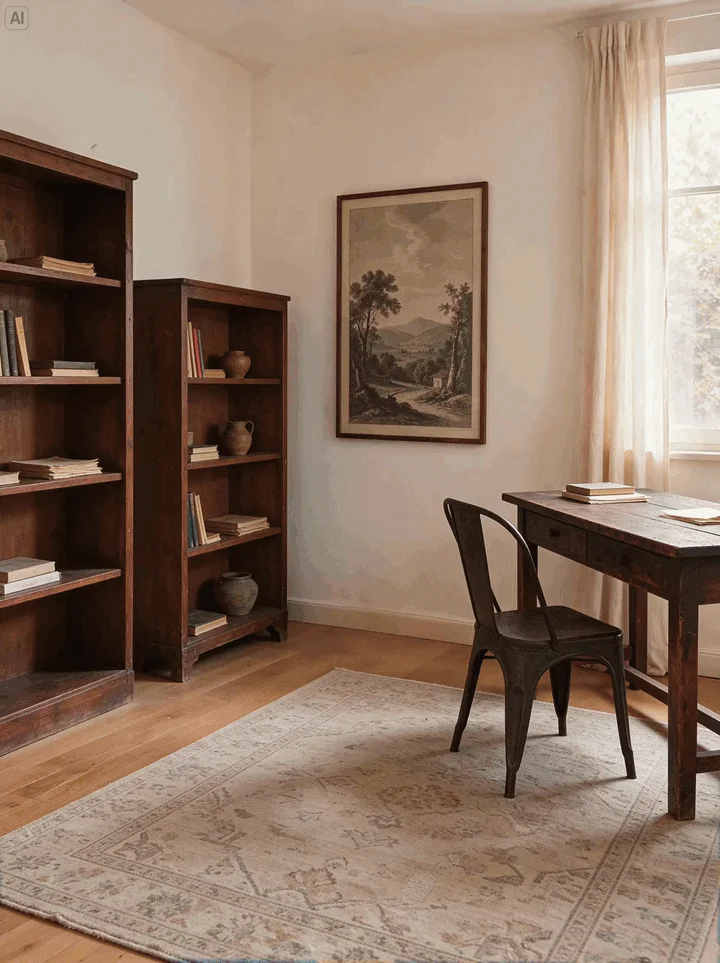 Edit 1 / 5
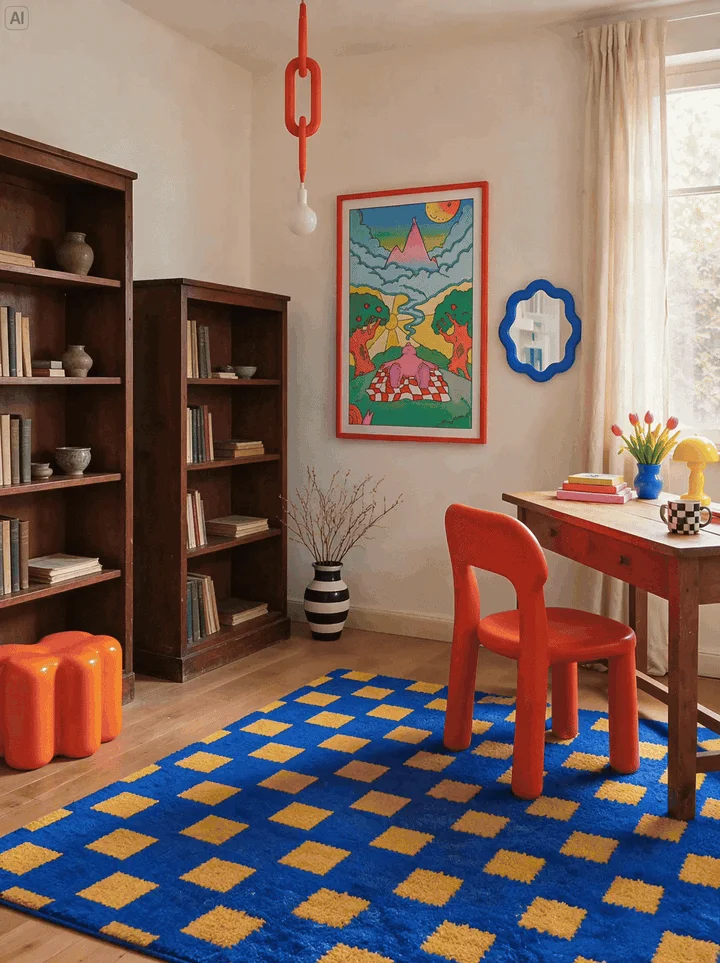
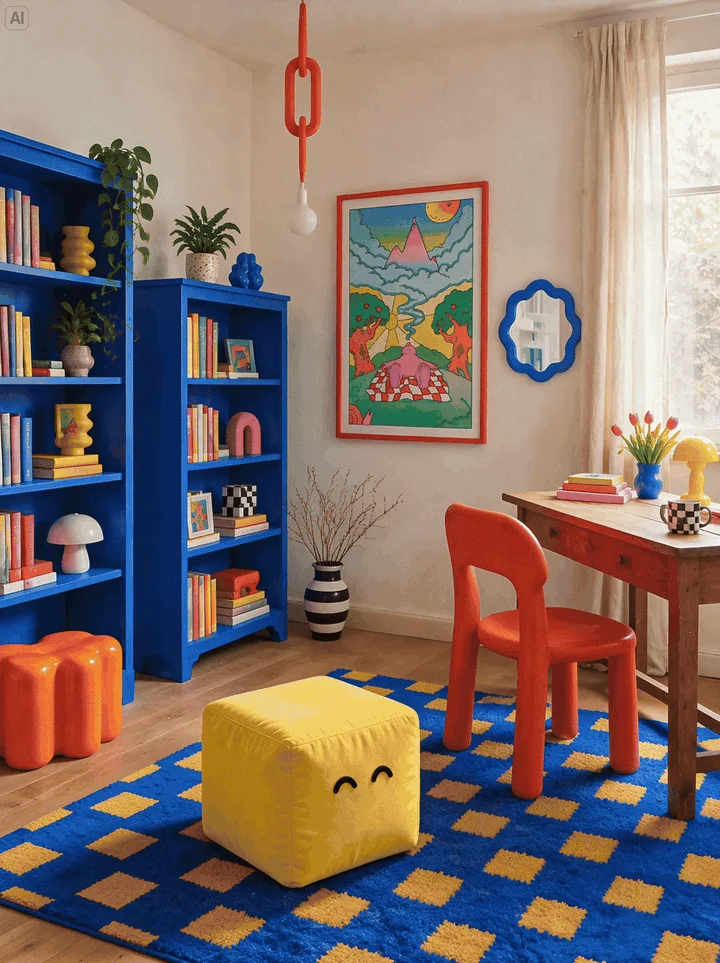
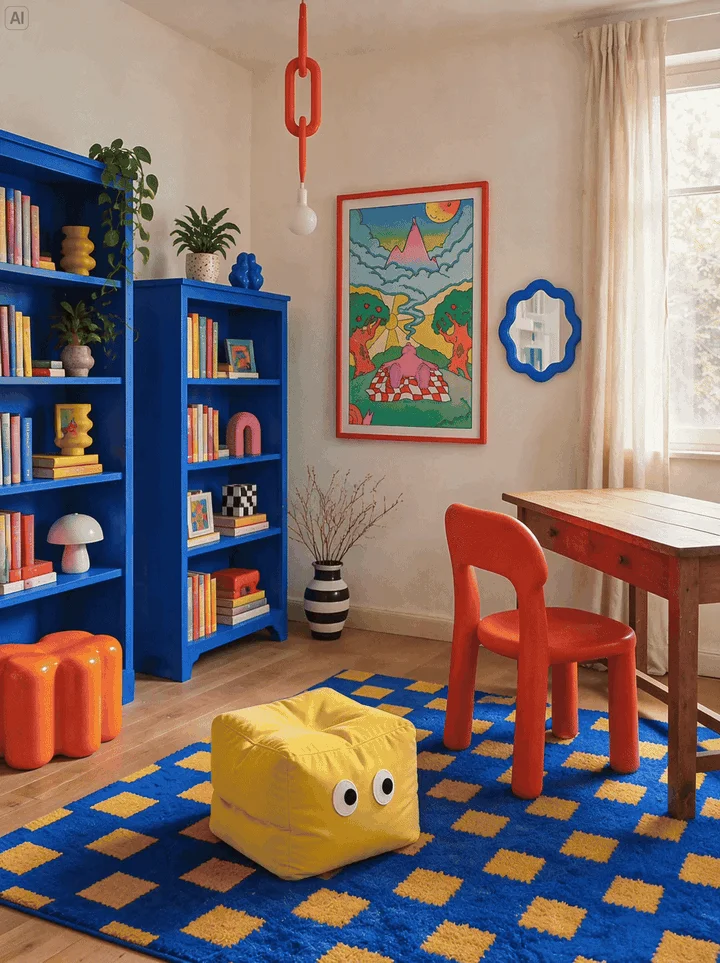
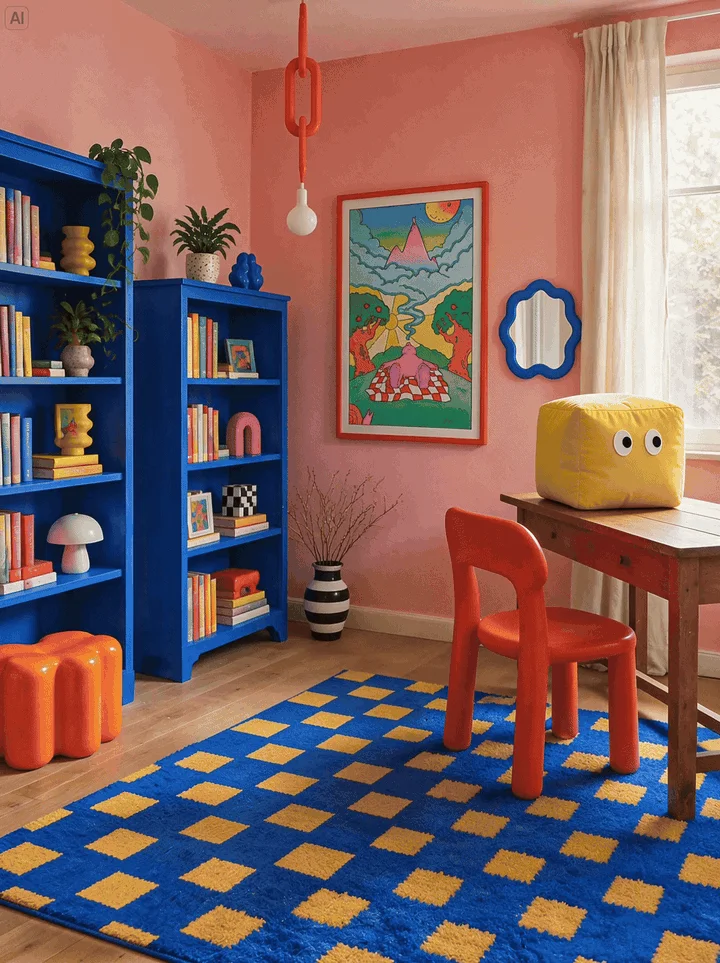
The window, lamp and floorboards never move; only the furniture, colors and cube change, and the cube's perspective and shadow follow it. ByteDance pushed Seedream 5.5 to 100 successive edits of one portrait, still swapping rings and eyeglass frames at the end.
Seedream 5.5 transparent PNG: native RGBA output
Seedream 5.5 can return an image with a real alpha channel. Switch the backdrop and the same file sits cleanly on every color.

Prompt: "Create a playful blue plush 3D cartoon character with a rounded body, big eyes and short limbs. Add three characters in the same style. Output each character as a separate image with a transparent background."
Full and partial transparency
The alpha channel covers clear areas and semi-transparent ones such as glass, smoke or fur, with edges drawn by the model, not cut out later.
From text or a reference
Describe an asset or point to a reference image. ByteDance shows snowy owl feathers and lettering that borrows a reference texture.
Reusable across scenes
Transparent characters drop into new layouts, posters and mockups with no background removal step.
What is Seedream 5.5?
Seedream 5.5 is ByteDance Seed's next-generation image creation model, announced on November 9, 2026. It follows Seedream 5.0 Pro, creates images from a text prompt or reference images, and edits images you already have.
Seedream 5.5 brings three upgrades. Multi-turn editing is more stable: unedited regions are preserved at the pixel level with no color shift, across up to 100 rounds. The model generates native RGBA images with full or partial transparency. And photos look more real, with natural light, materials and skin, while dense small text in English and Chinese comes out more accurately.
A Pro version of the Seedream 5.5 series will follow, without a date. Seedream 5.5 is already live in Dreamina by CapCut and on third-party API platforms.
- ReleasedNov 9, 2026
- DeveloperByteDance Seed
- Previous modelSeedream 5.0 Pro
- Coming nextA Pro version
Seedream 5.5 realism and text rendering
Seedream 5.5 makes photos believable and posters usable without a retouch pass.
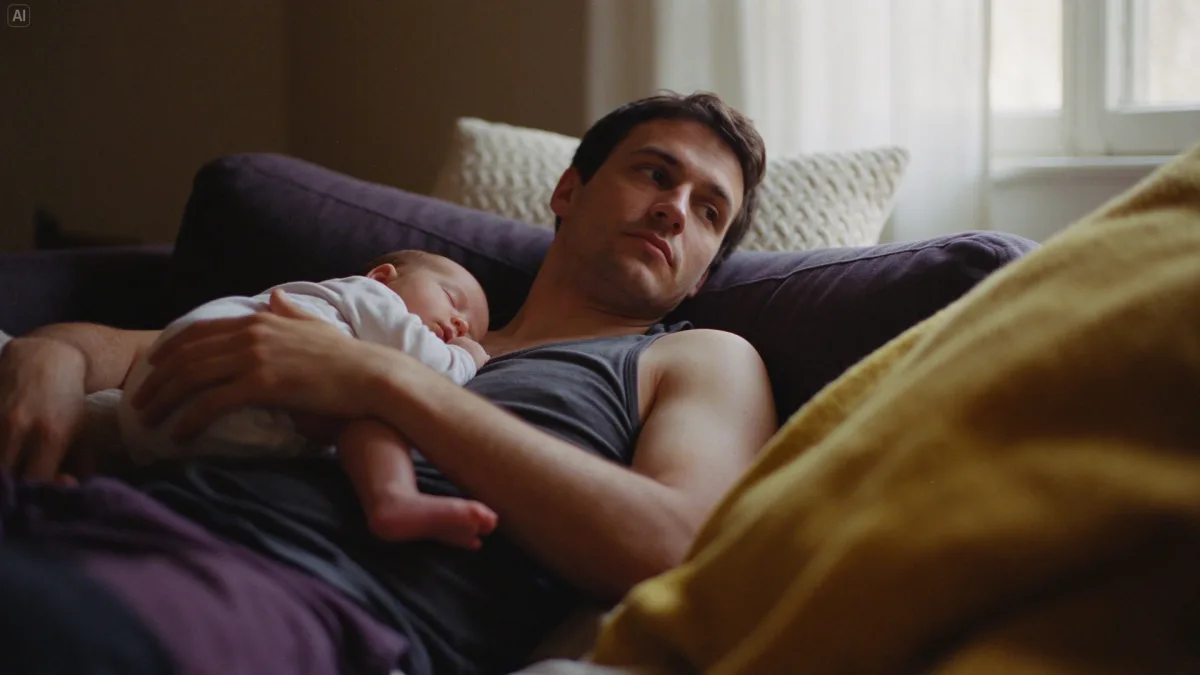
Natural light and skin
Seedream 5.5 lets soft window light fall across the father's face while skin and fabric keep their texture in the shadows, without a waxy, over-polished look.
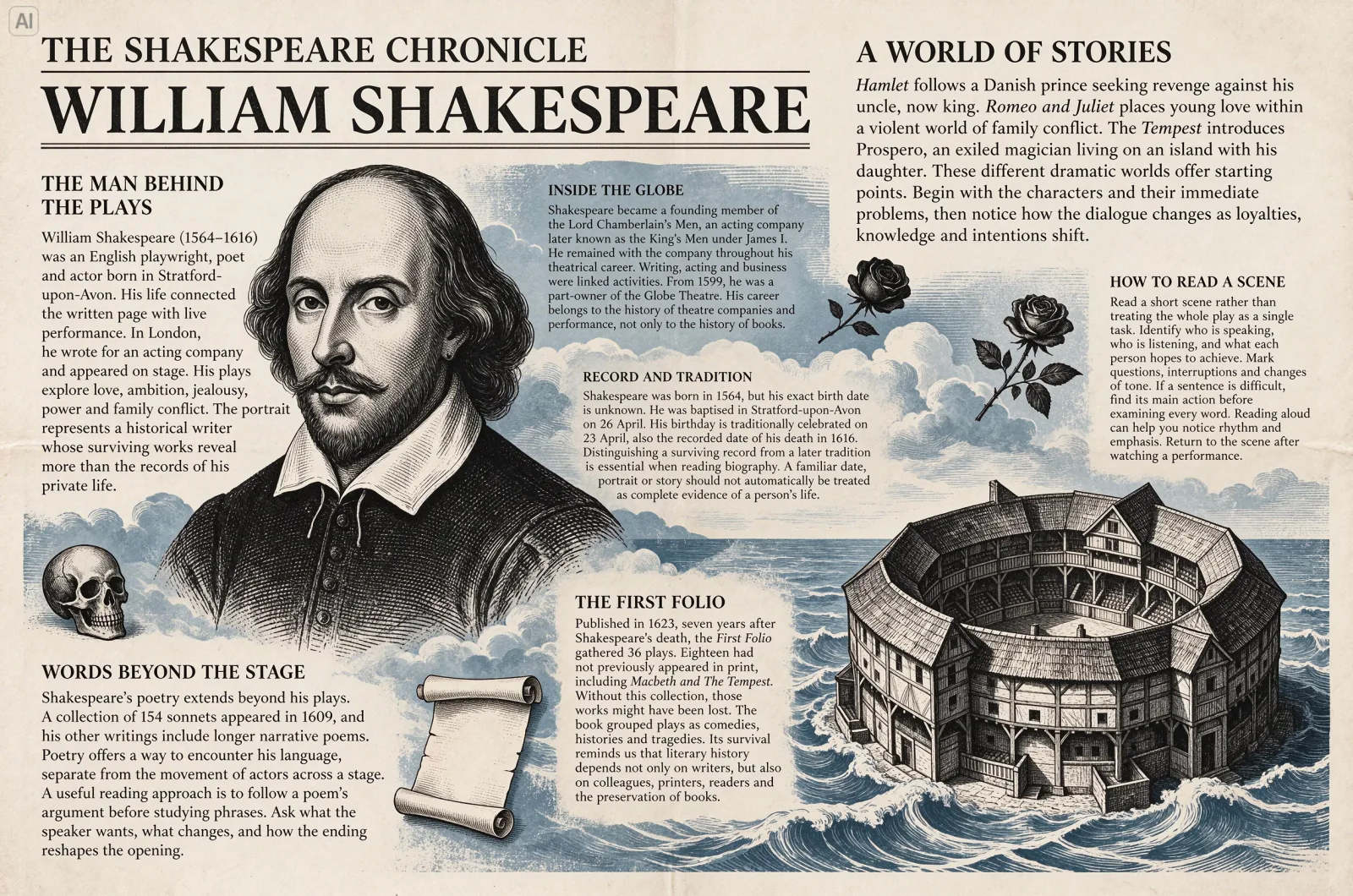
Dense English type
A newspaper page about Shakespeare packs seven short articles around a Globe Theatre engraving, and the small serif type stays readable.
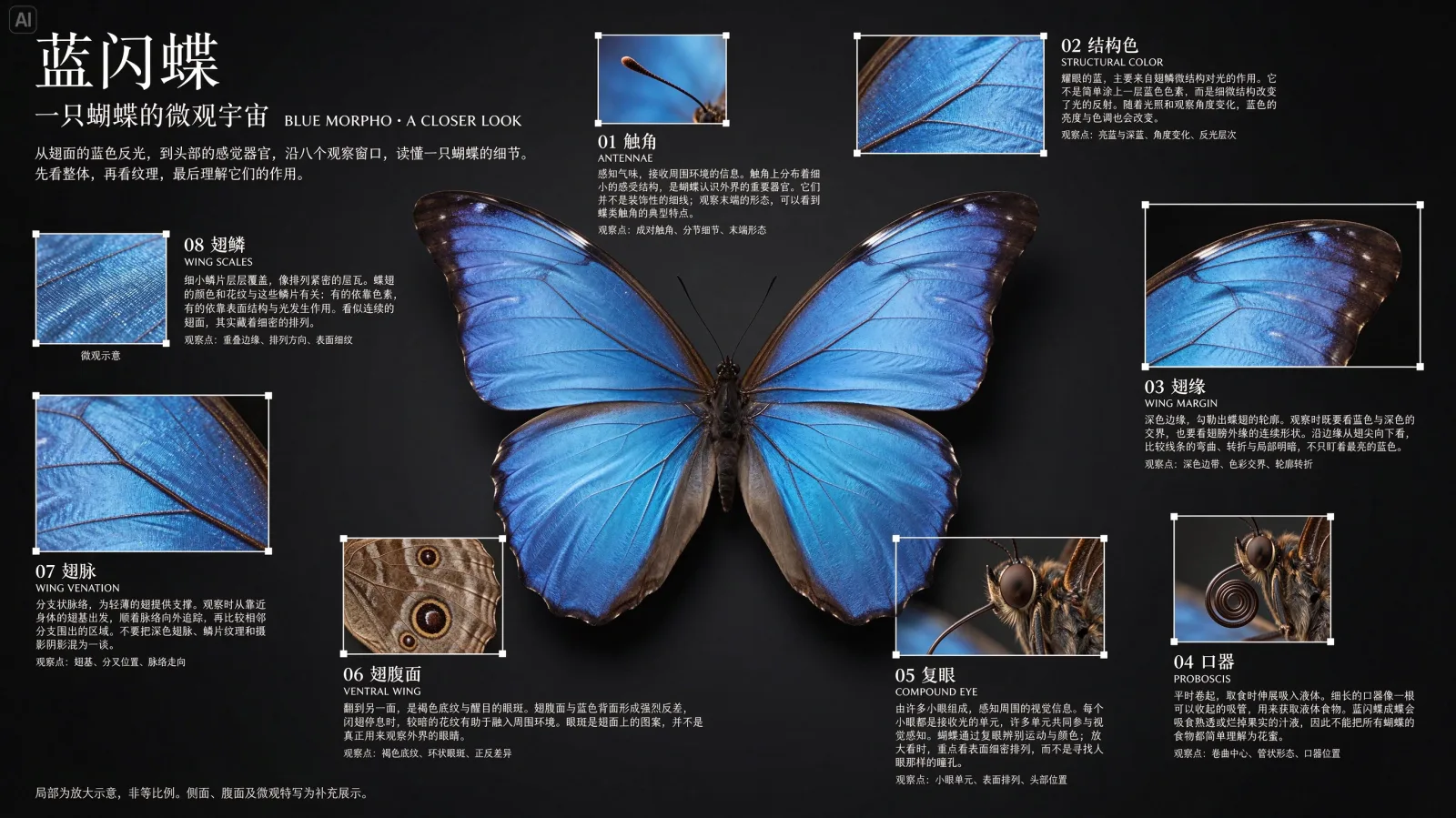
Small Chinese characters
A blue morpho infographic pairs eight close-ups with Chinese captions; even many-stroke characters in the small labels stay crisp.
Seedream 5.5 vs Seedream 5.0 Pro vs GPT Image 2.6
Built only from published facts. Seedream 5.5 quality numbers come from ByteDance's own tests.
| Seedream 5.5 | Seedream 5.0 Pro | GPT Image 2.6 | |
|---|---|---|---|
| Developer | ByteDance Seed | ByteDance Seed | OpenAI |
| Released | Nov 9, 2026 | Previous generation | Nov 4, 2026 |
| Multi-turn editing | Pixel-level preservation; demoed across 100 rounds | Reference-guided editing | Edits endpoint; Sunburst steadier over repeated edits |
| Transparent output | Native RGBA, full and partial | None; new in 5.5 | Not in the 2.6 release notes |
| Text rendering | 0.4% severe, 1.7% minor corruption (ByteDance) | Higher rates than 5.5 (ByteDance) | OpenAI says typography can still slip |
| Realism | +55.62% GSB over 5.0 Pro, image to image (ByteDance) | Baseline | No published comparison |
| API price | From $0.02 per image (third party) | Varies by platform | $30 per 1M image output tokens |
In ByteDance's MagicArena tests across six production uses (e-commerce, marketing, film and TV, gaming, office work, fashion design), Seedream 5.5 beat 5.0 Pro on quality and usability in all six, and more than doubled usability in film and TV and office work. ByteDance also reports Seedream 5.5 leads GPT Image 2.5 Sunburst and Nano Banana 2.1 on text structure, with a clear lead in text-to-image realism.
Seedream 5.5 pricing and API access
ByteDance has not published official Seedream 5.5 pricing. Public third-party prices, checked November 10, 2026:
| Platform | What you get | Price |
|---|---|---|
| WaveSpeedAI | Seedream 5.5 text to image (bytedance/seedream-v5.5): 15 aspect ratios, 1K to 2K, transparent or opaque background | $0.02 at 1K and 1.5K, $0.027 at 2K |
| Atlas Cloud | Seedream 5.5 text to image, Edit with 1–10 references, Layer Decomposition into up to 99 transparent layers | $0.02 per image |
| Volcano Engine Ark / BytePlus | Official Seedream 5.5 API | Not published yet |
| Dreamina by CapCut | Seedream 5.5 in the Dreamina app | In-app plans |
Paying for Seedream 5.5 on Auteo
On Auteo you pay in credits, with no API key and no separate bill. The Generate button shows the exact credits for your resolution, image count and references before anything is charged.
How to use Seedream 5.5 on Auteo
1Describe the image
Write your Seedream 5.5 prompt in the box above: subject, setting, style, light and any quoted words.
2Pick a format
Choose one of 8 aspect ratios, from 9:16 to 21:9, and 1K or 2K. Sign in to add up to 10 reference images.
3Generate and keep editing
Press Generate to open the studio with everything filled in. To edit, attach the last result as a reference and describe one change.
Seedream 5.5 prompt tips
Seedream 5.5 follows plain, concrete language best, the way ByteDance writes its own examples.
- 01
Lead with the subject
Open with what the picture is about, then add setting, lens, light and style.
- 02
Quote every word that must appear
Put headlines and labels in quotes and say where they sit. Text is far more reliable, but proofread prices, dates and names.
- 03
Ask for transparency in words
For a cut-out, describe the subject alone and ask for a transparent background, then export PNG from a tool with a transparent background setting.
- 04
Edit one thing per round
Name the change and what must stay: "move the cube onto the desk, keep the walls unchanged". Small steps are where Seedream 5.5 multi-turn editing shines.
- 05
Reuse your references
For a recurring character or product, attach the same reference images every time.
Seedream 5.5 FAQ
What is Seedream 5.5?
When was Seedream 5.5 released?
What changed from Seedream 5.0 Pro to Seedream 5.5?
Can Seedream 5.5 make transparent PNG images?
How many rounds of editing does Seedream 5.5 support?
How much does Seedream 5.5 cost?
Is there a Seedream 5.5 API?
Is there a Seedream 5.5 Pro?
Which Seedream 5.5 aspect ratios and resolutions can I use on Auteo?
Does Seedream 5.5 handle Chinese and English text?
Ready to try Seedream 5.5?
Write a Seedream 5.5 prompt, pick a format and open it in the studio. Nothing is charged until you confirm.
Start creating