Free AI Breast Expansion
Upload a clothed photo of yourself and AI breast expansion shows a fuller bust or chest in the same outfit, pose and lighting. Free to use, no account needed.
- Free
- No sign-up
- No watermark
- Women & men
Who is in the photo
Size or style
About two cup sizes bigger, a subtle change.
AI breast expansion for women: Natural or Curvy
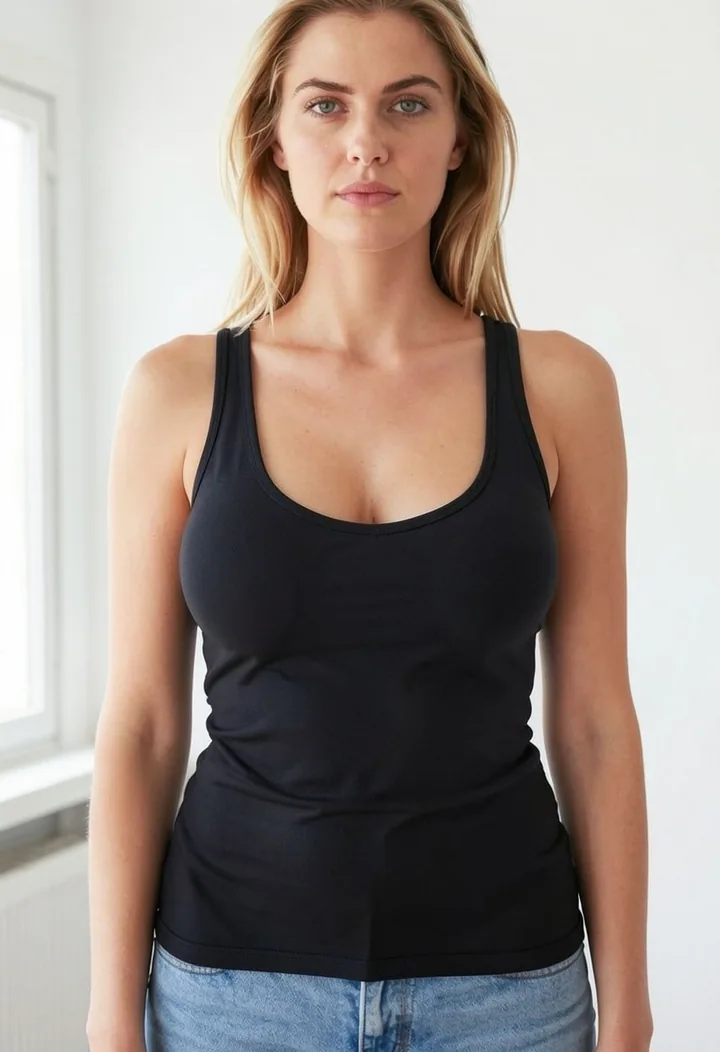
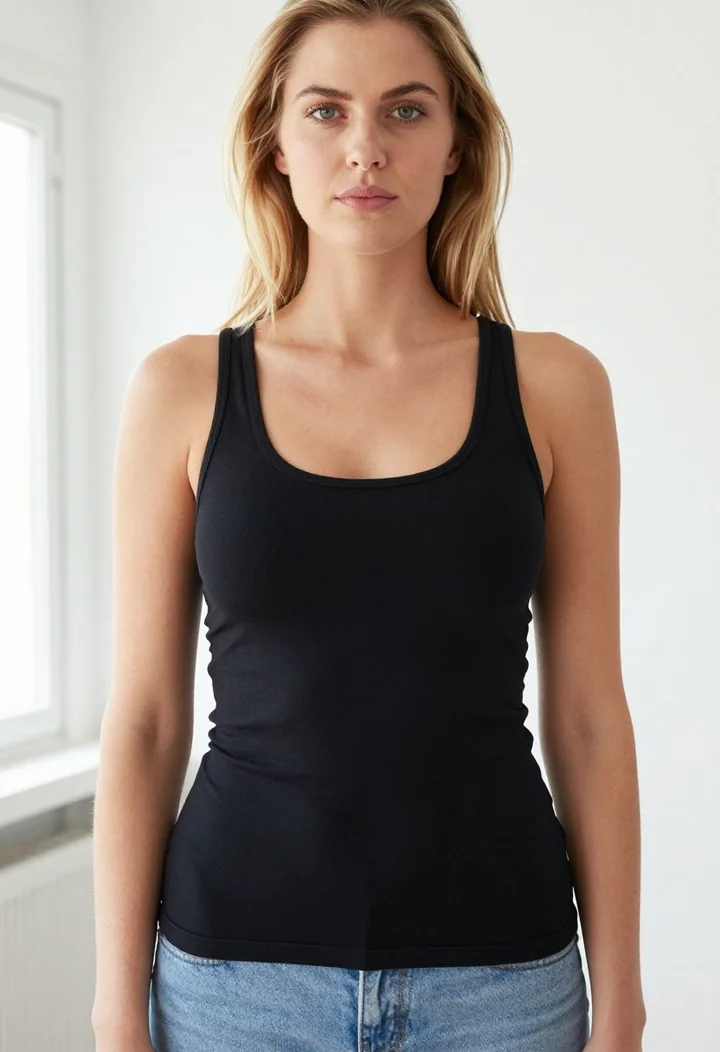
Two sizes, one outfit. The same photo is shown as uploaded, with Natural and with Curvy, so you can see how big each step is before you try it.
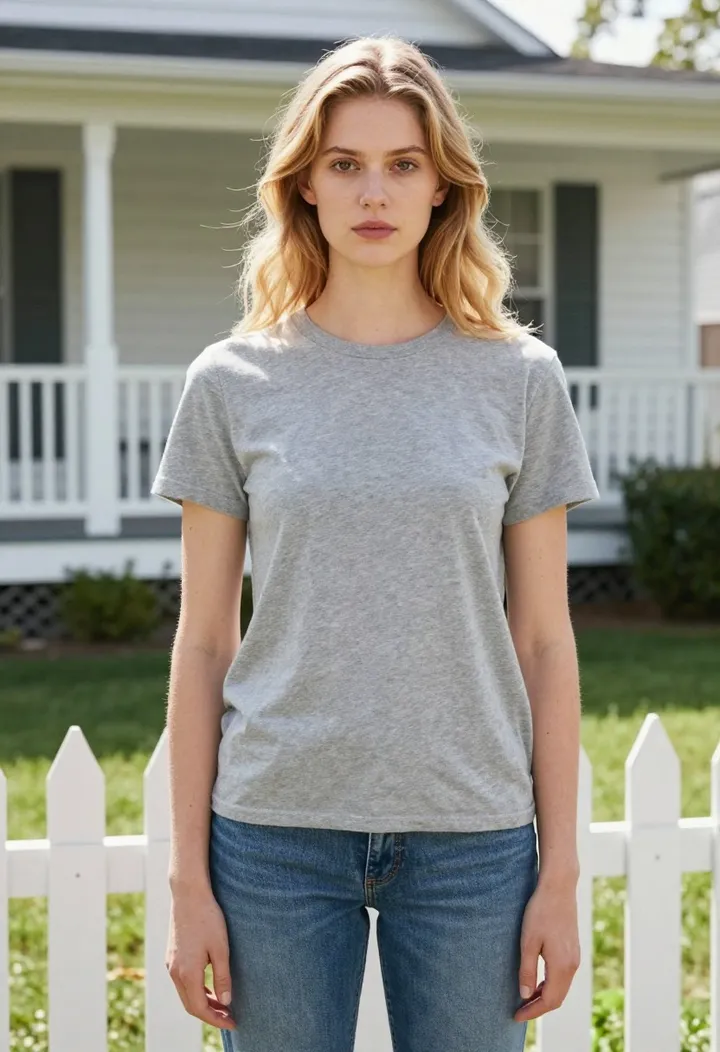
Original
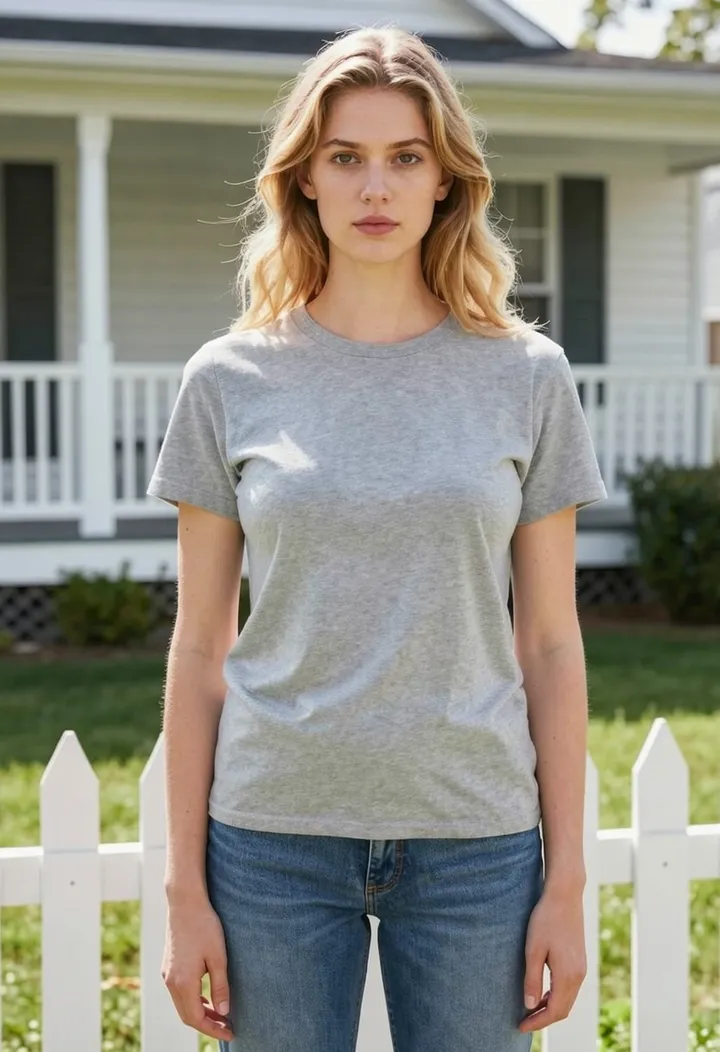
Natural
About two cup sizes bigger. Good for a quick, believable preview.
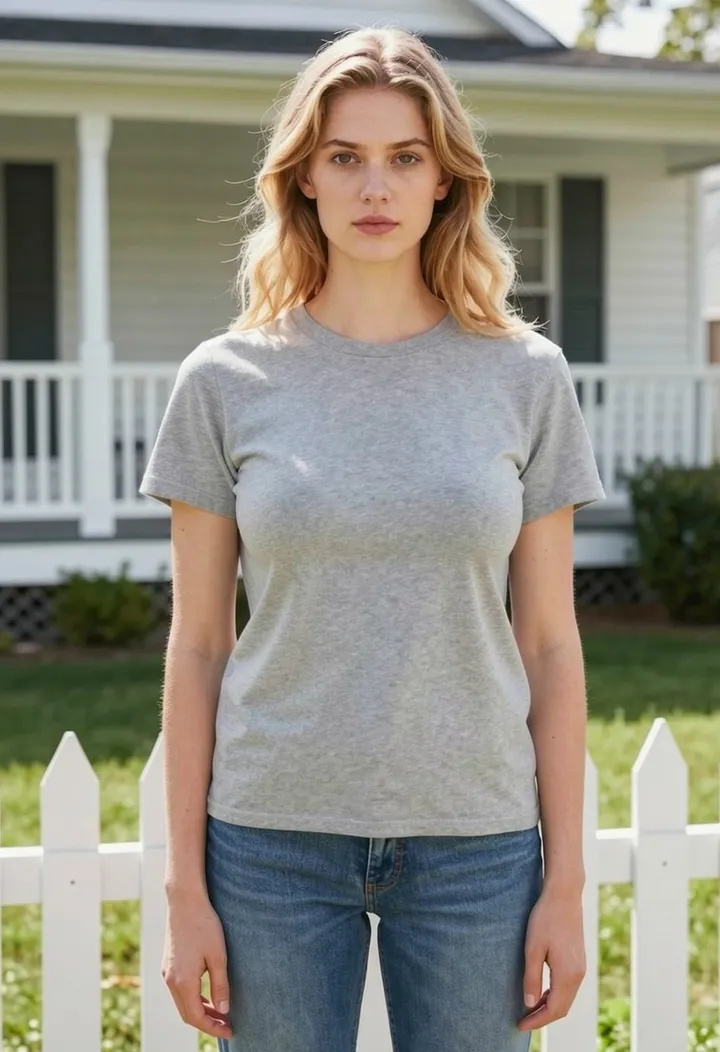
Curvy
About three cup sizes bigger. The fabric stretches further and folds deepen.
AI breast expansion for men: a fuller or muscular chest
Switch to Man and the tool changes the chest instead of the bust. Fuller gives a thicker, fuller chest with the arms and shoulders unchanged; Muscular goes further with square, defined pecs, both under the same shirt.
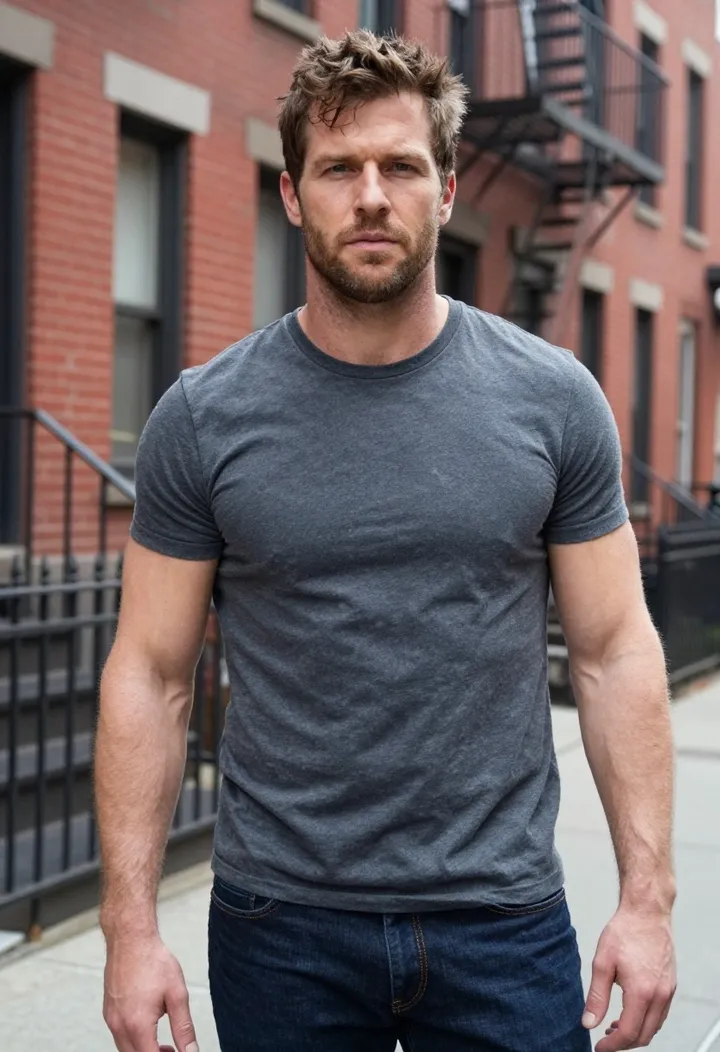
Original
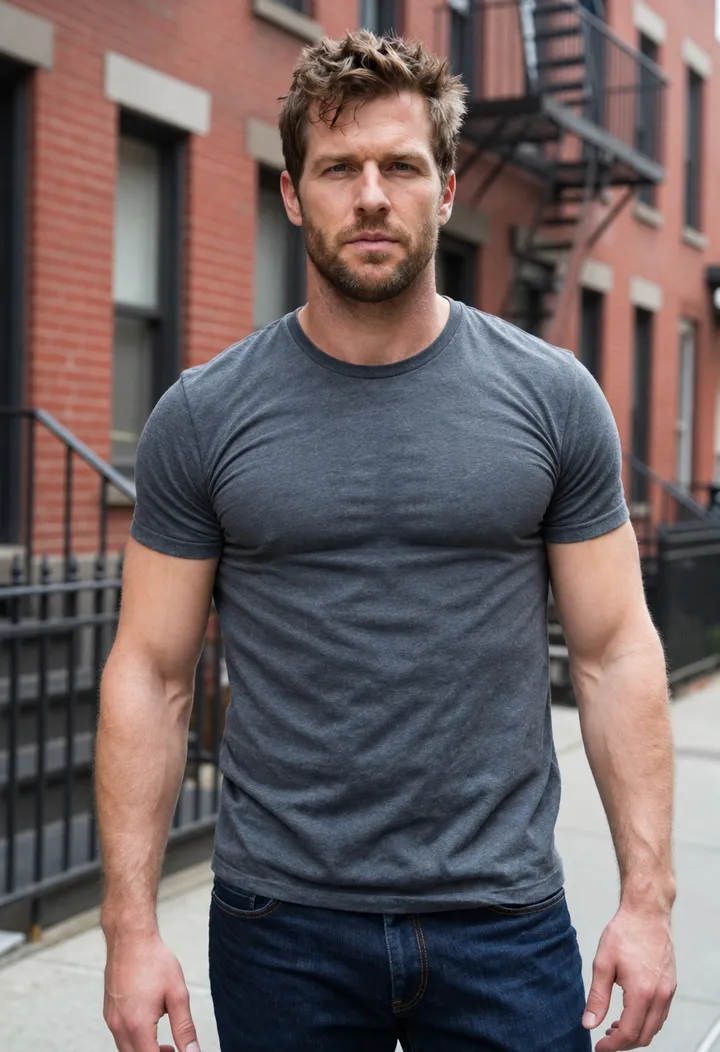
Fuller
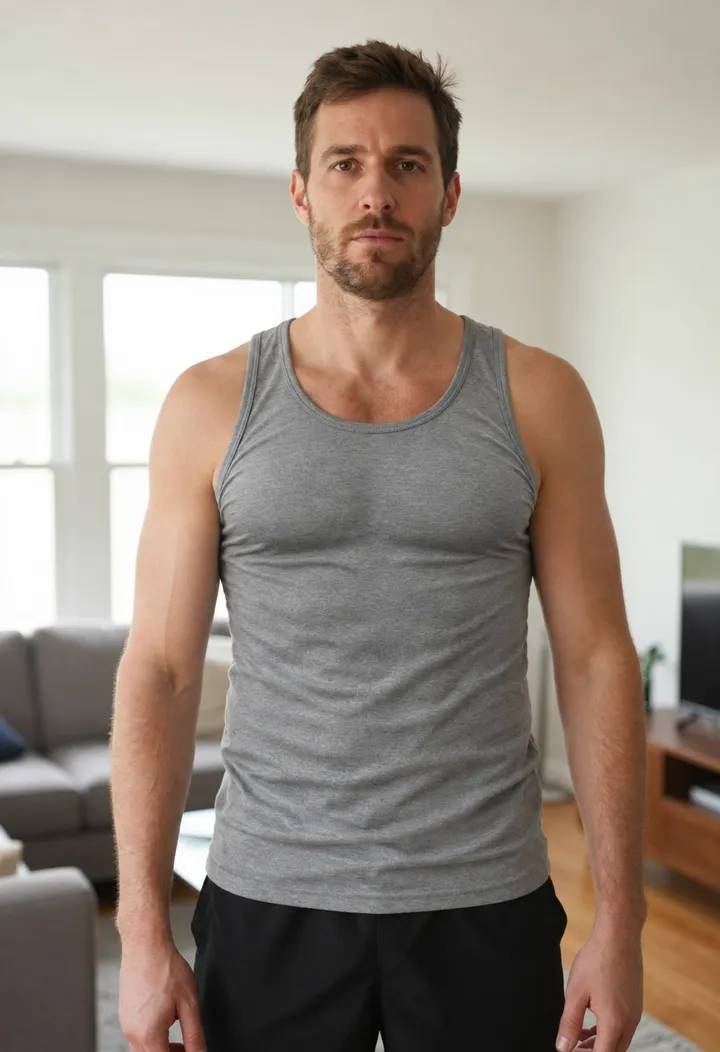
A thicker, fuller chest that fills out the shirt, with arms and shoulders unchanged.
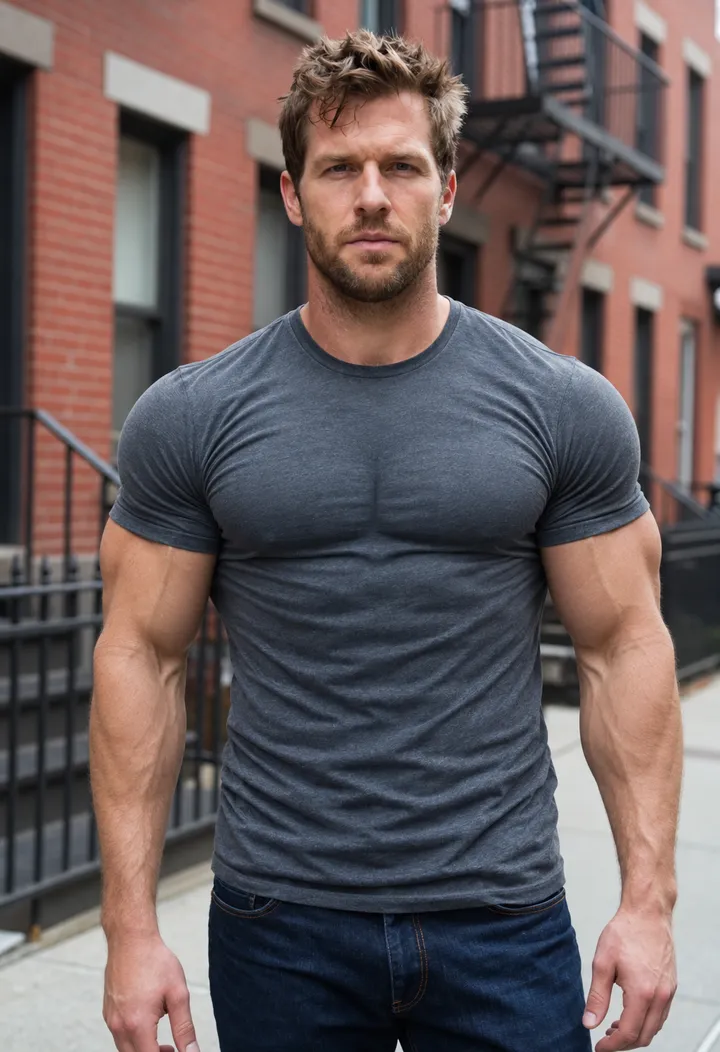
Muscular
A gym-trained look: square, defined pecs and bigger shoulders, same top.
Men's edits take longer, usually 30 to 60 seconds, because they run on a slower, more detailed image model.
What is AI breast expansion?
AI breast expansion is a photo edit that makes the bust or chest look larger while keeping everything else in the picture the same. Some apps call it an AI bust enhancer or a breast size editor. You give it one photo, choose how big the change should be, and an image model redraws only the chest area so your clothes stretch and fold as if your body had that shape.
The goal is a realistic preview, not a new person. A good edit keeps your face, hair, pose, background, colours and lighting exactly as they were, and keeps your top intact and opaque. That is why every edit on Auteo starts from a fixed instruction written on our side: it tells the model to keep the same garment, push the fabric outward with natural tension folds and leave the rest of the photo alone. You never type a prompt, which also means nobody can ask the tool for anything else.
Because the result is a picture of you in your own clothes, this kind of edit is useful whenever you want to see a different proportion before deciding something: how a dress might sit, how a shirt fits a broader chest, or simply how a curvier look feels on you.
How AI breast expansion works
Three steps, no account and no software to install.
- 1
Upload a photo of yourself
A clear, front-facing photo in fitted clothing. Your photo is resized in the browser before it is sent.
- 2
Choose woman or man, then a size
Natural or Curvy for women, Fuller or Muscular for men. Tick the box to confirm it's you, you're 18+ and fully clothed.
- 3
Generate, compare and download
Drag the slider to compare before and after, then download the image. Not quite right? Generate again or switch sizes.
Real AI breast expansion results
Every after image on this page was made by the same tool you see above, with no manual retouching. Drag each slider to compare.
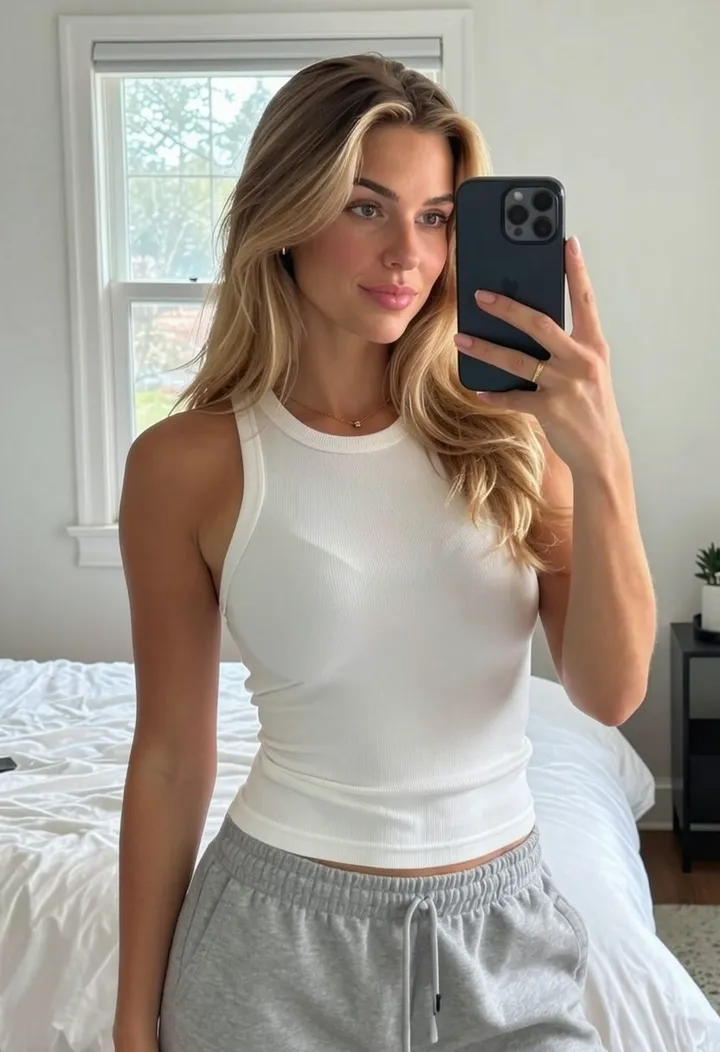 BeforeAfter
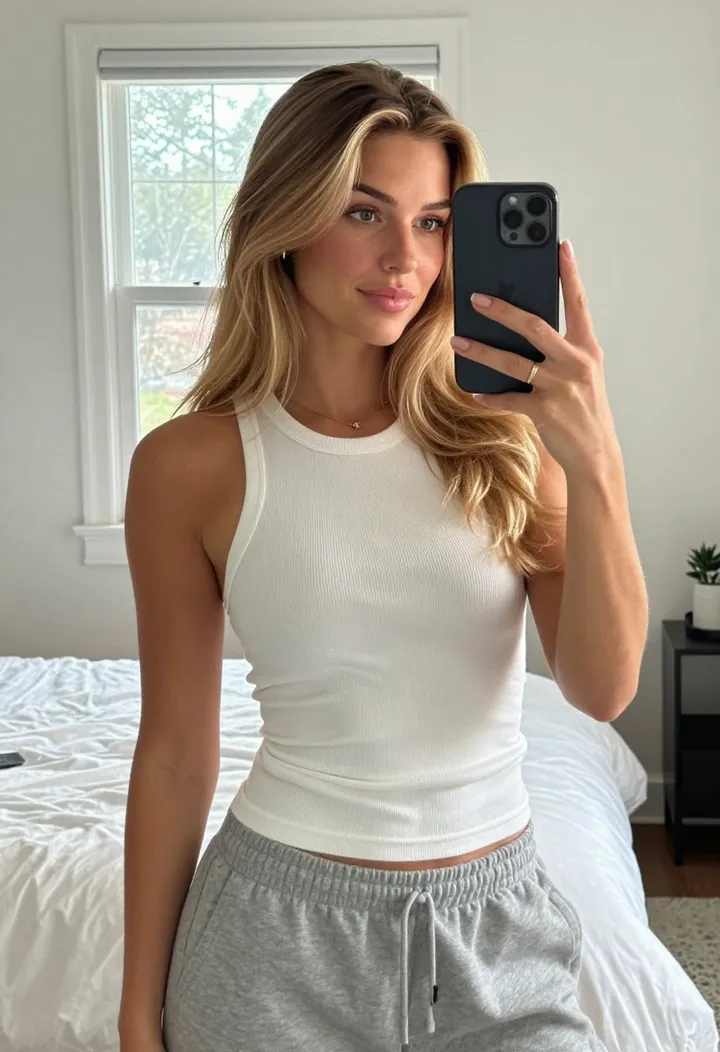
Mirror selfie, Curvy
A white tank top keeps its straps and hem; only the bust changes.
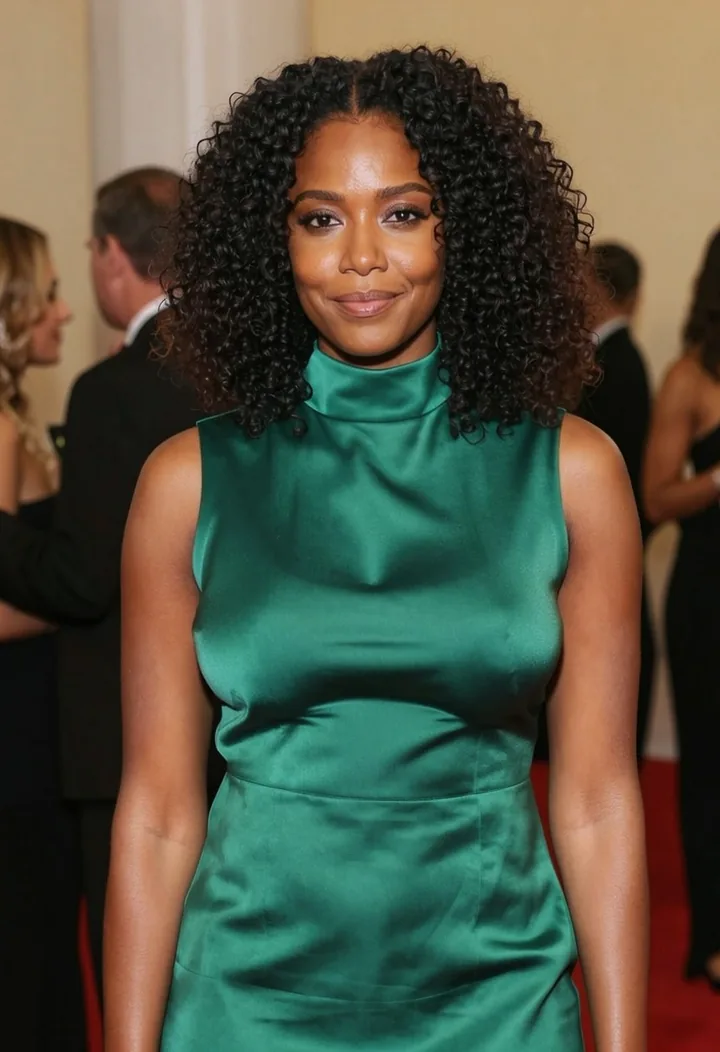 BeforeAfter
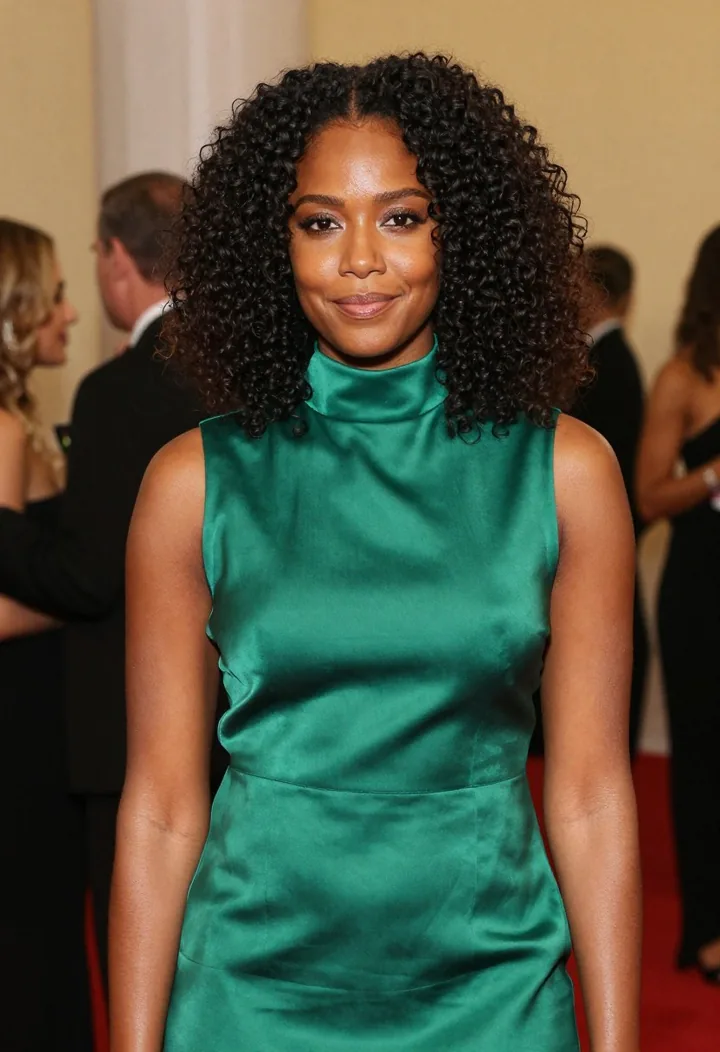
Satin dress, Curvy
Shiny fabric is the hardest case. The highlights follow the new shape.
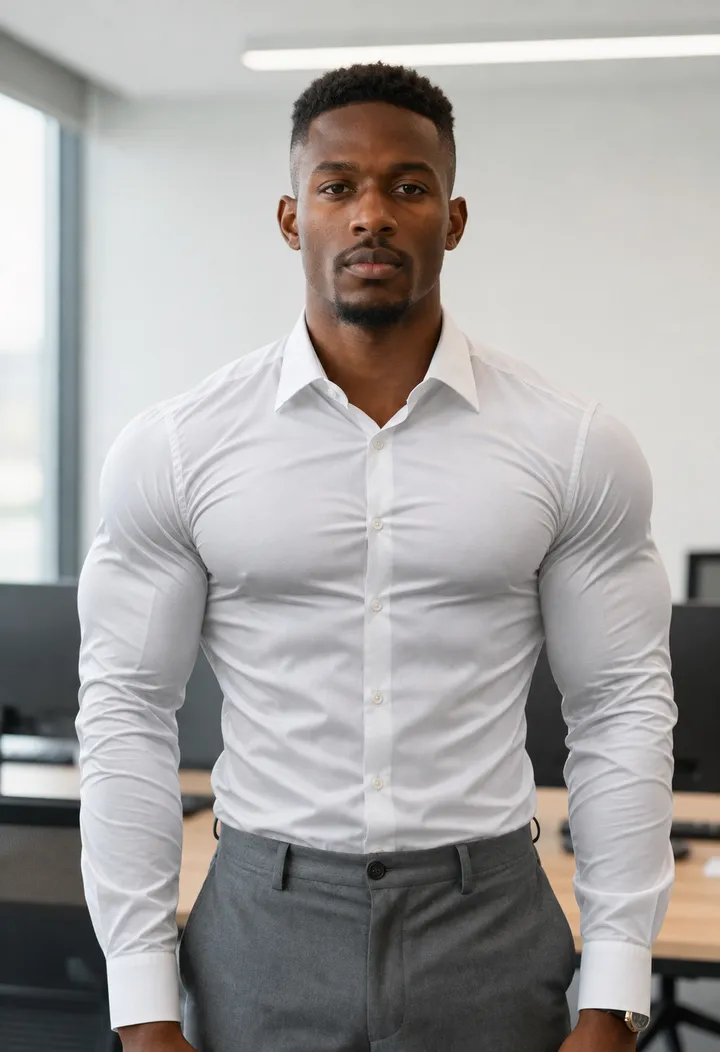 BeforeAfter

Button-up shirt, Muscular
Defined, gym-trained pecs fill out the shirt while buttons, placket and collar stay in place.
 BeforeAfter
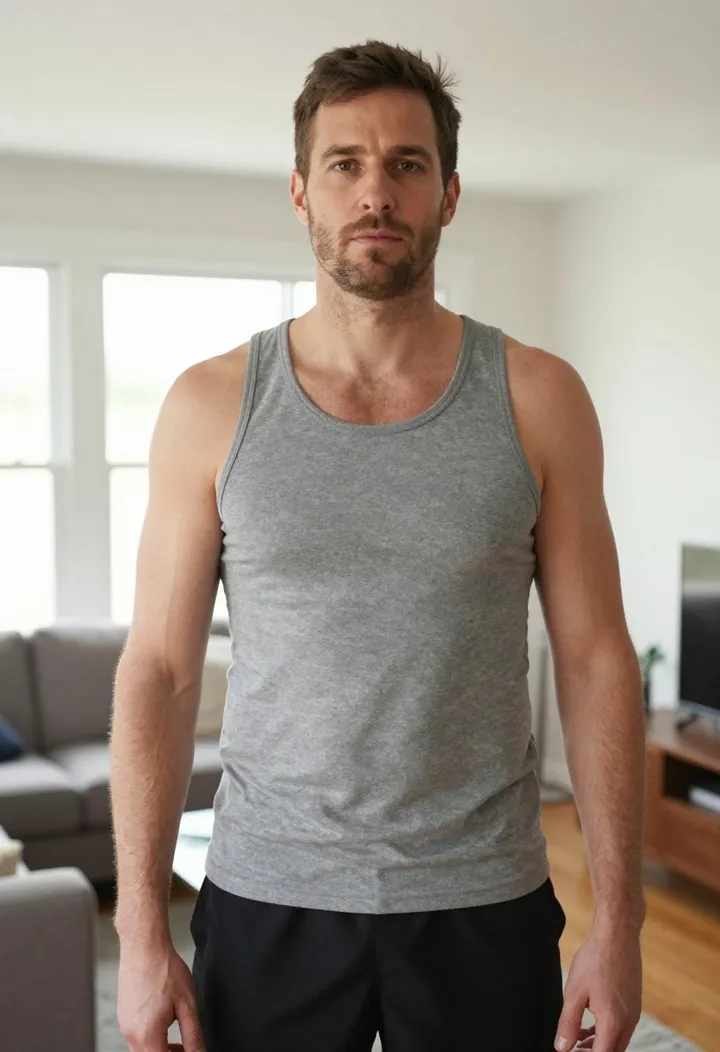
Tank top, Fuller
A thicker, fuller chest under a tank top, with the arms, shoulders and pose unchanged.
Popular uses for a bust and chest preview
A preview of a different shape, in your own photo and your own clothes.
Online shopping and fit previews
See how a top, dress or swimsuit might sit with a fuller bust before you order, or before you decide whether a padded or push-up style is worth it.
Outfit and styling ideas
Stylists and creators use it to compare necklines and cuts on the same photo, so the only thing that changes is the silhouette under the fabric.
Social posts and fun edits
Make a playful before-and-after of yourself for a story or a post. The result has no watermark, so you can share it as it is.
A reference before a consultation
Some people bring a picture of a size they have in mind to a clinic consultation. An AI preview can help you put that into words, but it is only an illustration and not medical advice.
Safety rules for AI breast expansion
This tool is built for previewing your own body in your own clothes. The rules below are enforced, not just suggested.
Only photos of yourself
Before you can generate, you confirm the photo is of you. Editing someone else's body without their consent is not allowed.
Adults only
You must be 18 or older, and the person in the photo must be 18 or older. Never upload a photo of a minor.
Clothed photos, clothed results
Upload photos where you are fully clothed. The instruction behind every edit keeps your top intact and opaque, and the tool is built not to produce nudity.
No custom prompts
You can only pick a size or style. There is no text box, so the tool can't be steered toward other requests.
Photos that get blocked
Some photos are refused by the image model's own safety checks. When that happens you'll see a message and can try another photo.
What happens to your photo
Your upload and the result are kept in private storage linked to your browser so you can view and download the result. They are not shown on any public page of Auteo.
Tips for the best AI breast expansion results
The model redraws the chest area from what it can see. Give it a clear view and the result looks natural.
- Face the camera. Straight-on or a slight angle works far better than a side profile.
- Use even light. Soft daylight shows the fabric folds the model needs to follow.
- Wear fitted clothing. T-shirts, tank tops, knits and fitted dresses give the cleanest edits; a turtleneck or chunky knit works too.
- Keep your arms clear of your chest so the whole area is visible.
- Crop to one person. If several people are in the frame, crop to yourself before uploading.
- Try both sizes. Natural is usually the most believable; Curvy is better when you want a clearly visible difference.
- For men, Muscular reads as gym results, while Fuller gives a thicker, fuller chest with the arms and shoulders unchanged.
How this bust enhancer compares
Most bust enhancer apps offer more size steps; we focused on realistic results, both genders and clear safety rules.
| Feature | Auteo | Typical bust enhancer apps |
|---|---|---|
| Price | Free | Credits or a subscription after a few tries |
| Account | No sign-up | Usually requires an account |
| Sizes | Two for women, two styles for men | Often five or more size steps |
| Men's chest | Fuller or Muscular | Rarely offered |
| Clothes kept intact | Built into every edit | Varies; some change or remove clothing |
| Consent and age check | Required before every generation | Often a terms-of-service line only |
| Watermark | None | Common on free results |